
At Salesken, our CI pipeline took 22 minutes. Engineers would context-switch to Slack, lose focus, and take another 15 minutes to get back into flow after the build finished.
I once worked at a company where the CI pipeline took 45 minutes. That's 45 minutes between "git push" and "I know if my code works." Over a month, that's 15 hours of waiting. A developer with 8 commits per day waited 6 hours per day for CI feedback. No wonder the team hated testing.
A slow CI pipeline kills productivity. The best pipeline is the one developers trust and that completes in under 10 minutes.
CI/CD Pipeline in 60 Seconds
CI/CD is two distinct things. Continuous Integration (CI): every code change is automatically built, tested, and validated. Continuous Delivery (CD): validated code is automatically deployed to staging, with manual approval for production. Or Continuous Deployment: automatic deployment all the way to production. A mature pipeline catches bugs before humans see them, reduces manual toil, and gives developers fast feedback.
Why CI/CD Matters Now
First: speed. A manual build-test-deploy process took weeks. CI/CD can reduce that to hours or minutes. This means more releases, faster bug fixes, faster features.
Second: confidence. When you run tests locally and they pass, you're testing one configuration. CI tests in production-like configuration. It catches "works on my machine" problems.
Third: quality gate. Before CI, "shipping" meant copying files to a server and hoping for the best. After CI, shipping means "the code passed tests in staging and we deployed it." The gate exists.
Fourth: audit trail. Every deployment is recorded. You know who changed what, when, and what the test results were.
The Key Stages of a Mature Pipeline
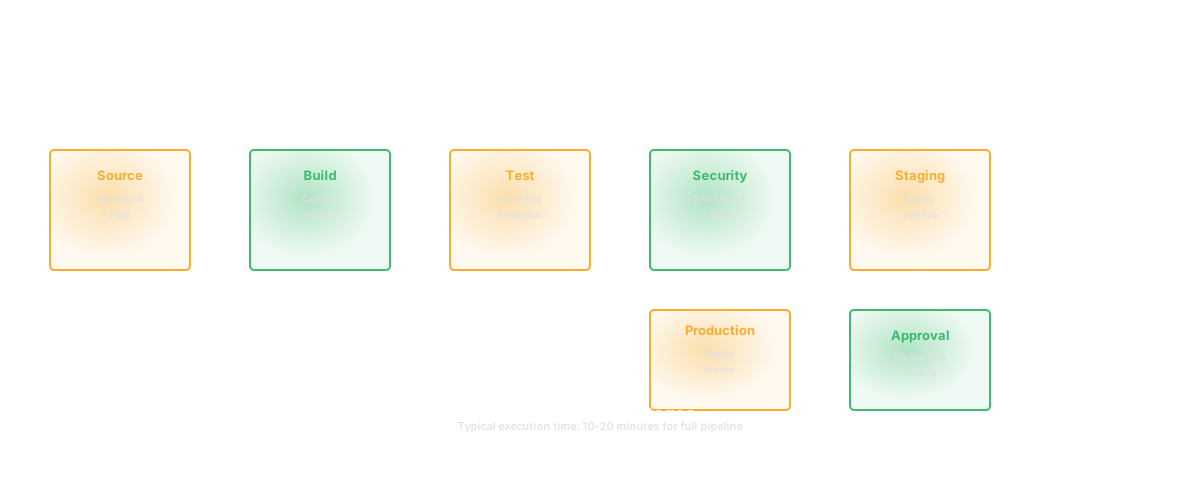
A mature pipeline flows: lint, unit tests, integration tests, security scan, build, deploy to staging, smoke tests, manual approval, deploy to production.
Lint (1-2 minutes): Check code style, syntax errors, basic logic errors. Fail fast.
Unit tests (3-5 minutes): Test individual functions in isolation. Should be the bulk of your tests.
Integration tests (5-10 minutes): Test how components interact. Use test databases, mock external services.
Security scan (2-5 minutes): Check dependencies for known vulnerabilities, scan code for obvious security problems.
Build (2-5 minutes): Compile code, bundle assets, create a Docker image or artifact.
Deploy to staging (1-5 minutes): Run the new build in a staging environment.
Smoke tests (2-5 minutes): Verify the app starts and basic endpoints work.
Manual approval (async): A human verifies the deployment looks good and approves for production.
Deploy to production (1-5 minutes): Run the same build in production.
Total: 20-40 minutes in the happy path. The critical constraint is parallelization. Run lint, unit tests, security scan in parallel, not sequence.
Pipeline Performance Matters
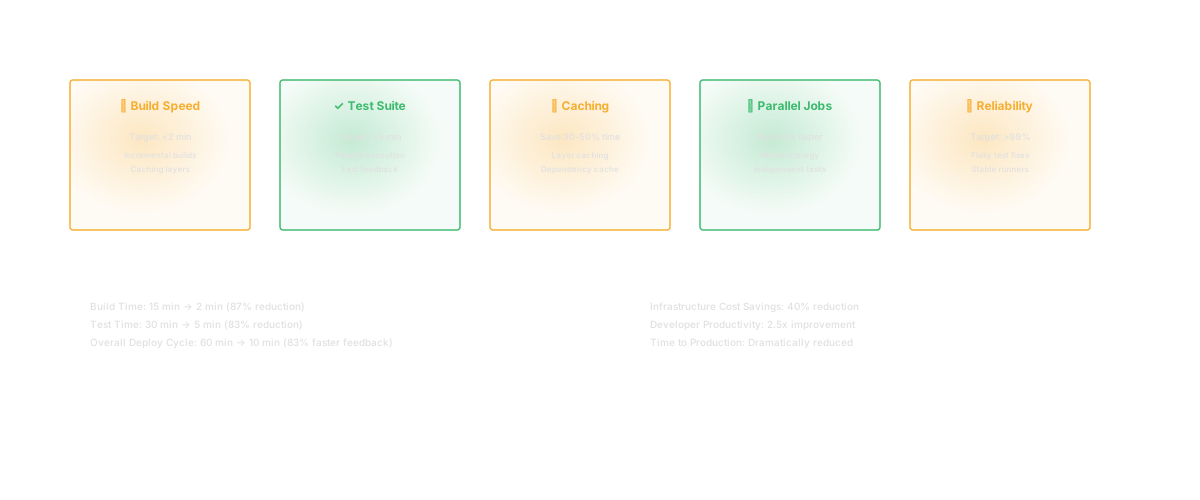
Target: under 10 minutes for CI (everything up to merge approval). Slow pipelines accumulate delays. A developer makes a change, pushes it, then starts a new task while CI runs. CI fails. They've already context-switched. They come back, fix it, push again. Repeat. This rhythm kills focus.
The way to speed up pipelines: run stages in parallel, not sequence. Skip slow tests in the common path (e.g., end-to-end tests that take 10 minutes - run those per-commit only for modified code, not every change). Cache dependencies. Use faster test runners. Profile your pipeline and find the bottleneck.
A common mistake: including every test in CI. Unit tests: yes. Full end-to-end test suite that takes 20 minutes: no. Run those pre-commit locally or in a separate "final verification" job.
Architectural Decisions That Affect Pipeline Design
Trunk-based vs. feature branches: Trunk-based (commit to main, feature flags hide new code) enables fast merging and continuous testing but requires discipline. Feature branches (commit to branch, PR to main) allow slower, more thorough review but can accumulate merge conflicts and run tests on stale branches.
Deployment strategy: Blue-green (run old and new version in parallel, switch at the load balancer) enables instant rollback. Canary (route 5% of traffic to new version, increase gradually) catches problems in production. Rolling (update 10% of instances at a time) is simpler but slower.
Rollback mechanism: If production breaks, how fast can you revert? If it takes 20 minutes, that's too slow. Ideally, rollback is a one-command operation.
Common Pipeline Mistakes
Too many tests in the main CI flow. A suite that takes 30 minutes is not a feature - it's a productivity drag. Move expensive tests out of the main flow or make them optional.
Not testing the right things. The test pyramid (many unit tests, fewer integration tests, few end-to-end tests) exists for a reason. A pipeline that's 80% end-to-end tests and 5% unit tests is backwards.
Flaky tests. Tests that pass 90% of the time and fail intermittently. This breaks trust. "CI failed" becomes "probably a flaky test" instead of "we broke something." Fix flaky tests immediately.
No rollback plan. If prod breaks, what do you do? If it's "manually edit the database," you're in trouble. Have a practiced rollback.
Deployments that only work when someone manually runs them. Deployment automation should be testable. If you can't run deployment in CI, it's not truly automated.
How Glue Helps
When your CI pipeline fails, Glue tells you immediately: which code changed, who changed it, what services are affected, and what dependencies might be broken. Instead of manually searching logs, Glue surfaces the relevant context.
This accelerates triage. A test fails. Glue shows which recent changes are related. You fix the right thing instead of guessing.
Frequently Asked Questions
Q: How often should we deploy?
A: Continuously, if you're confident in your tests. Daily at minimum. If you're deploying less than weekly, you have too much batching and risk.
Q: What if CD is too risky for our product?
A: Then you need Continuous Delivery (auto to staging, manual to prod) and very thorough tests. The goal is reducing deployment risk, not eliminating human judgment.
Q: Should we deploy during business hours or off-hours?
A: If your deployment is fast and rollback is instant, business hours are better - you can catch problems immediately. If deployment takes 30 minutes and rollback takes an hour, off-hours are safer.
Related Reading
- DORA Metrics: The Complete Guide for Engineering Leaders
- Deployment Frequency: The DORA Metric That Reveals Your True Engineering Velocity
- Cycle Time: Definition, Formula, and Why It Matters
- Change Failure Rate: The DORA Metric That Reveals Your Software Quality
- Code Refactoring: The Complete Guide to Improving Your Codebase
- Software Productivity: What It Really Means and How to Measure It
- Shift Left Testing
- What Is DevOps