
API Documentation: How to Write Docs Developers Actually Want to Read
I've integrated with a lot of APIs over my career. At UshaOm, we plugged into payment gateways, Magento's REST API, and half a dozen shipping providers across the US and Middle East. Some made me productive within 15 minutes. Others consumed days of frustration: wrong documentation, outdated examples, missing error codes. The difference was never the API's technical merit. It was whether the documentation respected my time.
At Salesken, we were on the other side. We built APIs that sales teams and third-party CRM systems consumed. And I learned that writing good API docs is harder than writing a good API. We shipped a well-designed webhook system for real-time call events, then spent weeks fielding support requests because our documentation didn't explain the retry behavior clearly. The API worked perfectly. The docs made it look broken.
API Documentation in 60 Seconds
Good API documentation answers five questions: How do I authenticate? What endpoints exist and what do they do? What does a successful request look like (with copy-paste examples)? What errors can occur and how do I handle them? How has this API changed over time? Documentation isn't a reference manual. It's the fastest path from "I want to use your API" to "my code works."
Why Good API Documentation Matters Now
Speed to integration is a business metric, even if nobody calls it that. Developers choosing between two competing APIs will pick the one with better docs. I've done this myself. At UshaOm, we chose a more expensive shipping provider over a cheaper one because the cheaper one's API docs were a PDF that hadn't been updated since 2012. The expensive provider had interactive Swagger docs and a quickstart that worked in 5 minutes. The cost difference was smaller than the engineering time difference.
Documentation quality also correlates with API design quality. Writing clear docs exposes poor design decisions. If you're struggling to explain an endpoint's behavior, the endpoint probably has unclear behavior. At Salesken, writing the docs for our analytics export API forced us to redesign it twice before launch. Both times, the redesign came from trying to document edge cases that were too confusing to explain. Documentation isn't just a communication problem. It's a design tool.
And then there's the maintenance angle. As your API evolves, documentation becomes the contract between you and consumers. When docs fall out of sync, consumers build against outdated specs and blame your API for being unstable.
The Anatomy of Good API Documentation
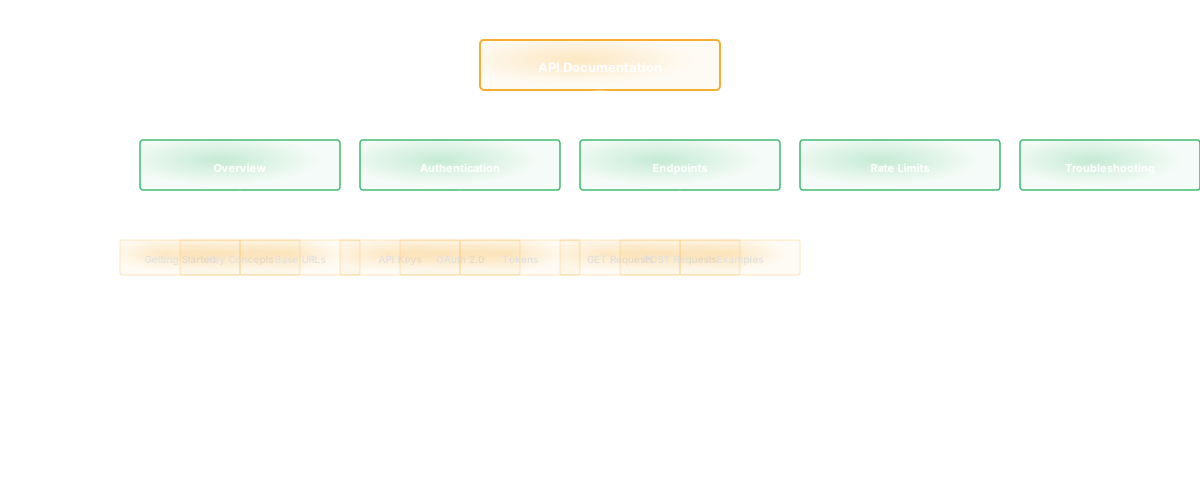
Authentication comes first. Show the exact HTTP header or request parameter needed. Give a real (sanitized) example. A curl command someone can copy. Most APIs get this right.
Endpoint reference is the core. For each endpoint: HTTP method and path, what it does in one sentence, required parameters, optional parameters with defaults, the response shape (JSON schema or clear example), and all possible status codes. Document the unhappy paths. Show the 400, 401, 403, and 404 responses too. At Salesken, we initially only documented 200 responses. Every integration partner hit undocumented error codes within their first week. We learned to document errors before we documented success.
Quickstart guide is where most docs fail. This is copy-paste code that works immediately. Three minutes to follow, produces a working integration. Too many guides lose developers in theory when they want hands-on understanding. If your quickstart doesn't work when someone literally copies and pastes it, it's broken. Test it.
Error reference needs actual detail. For each error code: what it means, why it happened, and what the developer should do about it. A 429 (rate limit) is useless without the rate limit policy and the headers explaining when the limit resets. We learned this at Salesken the hard way. Our rate limiter returned 429 with no Retry-After header and no documentation of limits. Integration partners just retried immediately, making the problem worse.
Changelog captures every API change with a date. Removed endpoints, parameter changes, behavior changes. Developers integrating today need to know what broke between v1 and v2.
What OpenAPI/Swagger Gets Right and Wrong
The OpenAPI specification is machine-readable API documentation. It enables code generation, automatic mock servers, and interactive explorers. The standardized format and tooling ecosystem are genuinely valuable.
Where it falls apart: auto-generated OpenAPI specs from code are often incomplete. Required versus optional fields get missed. Error responses don't get documented. The spec becomes the "source of truth" but it's incomplete because the code generator was lazy, or the spec was manually written six months ago and hasn't been touched since.
Use OpenAPI as a layer on top of human-written documentation, not a replacement. The interactive explorer and code generation are worth having. But pair it with a narrative guide that explains why endpoints exist and how they fit together. The spec tells you what the API does. The guide tells you how to think about it.
The Mistakes That Kill Documentation Adoption
Missing error codes. Your API returns 400 with {"error": "invalid_input"} and the docs say "bad request" without listing which input validations can fail. Developers guess-and-check each field. This alone accounts for probably half the support tickets I've seen on API products.
Outdated examples. Documentation shows a response format from 2023. The API returns different fields now. Developer follows the docs, deploys to production, and it fails at 2am.
No explanation of why. "The status field indicates the user's status" tells me nothing. "The status field can be 'active', 'suspended', or 'deleted'. 'Suspended' means terms of service violation; the user has 30 days to appeal before deletion" tells me everything.
Inconsistent naming. Docs show user_id, code expects userId. Looks like the developer's fault even though it's the documentation's fault. I've seen this cause multi-day debugging sessions. Embarrassing for everyone.
No mention of rate limits or quotas. Developer integrates beautifully, deploys to production, hits the rate limit at scale, and files a bug report saying your service is "unstable."
Keeping Documentation Current as the API Evolves
Documentation rot is natural. Code changes, examples don't. The only reliable way to slow it is process.
Document before you code. Write the API documentation first, then implement. This sounds slow. In practice, it exposes design problems in documentation (cheap to fix) instead of in production integrations (expensive to fix). At Salesken, the analytics export redesign I mentioned happened because we wrote docs first. If we'd coded first, we'd have shipped the confusing version and paid for it in support load.
Include documentation in code review. If you change an endpoint, documentation changes are required before merge. This is the single most impactful process change you can make, and most teams don't do it. It's a one-line addition to your PR template.
Version your docs with your API. If the current version is v2, docs should clearly state v2. Include a migration guide from v1. Show which v1 endpoints still work, which are deprecated, which are gone.
Lint your examples. If you show a curl command, validate it actually works. Run examples in CI before docs are published. The number of published API docs with broken curl examples is genuinely shocking.
Connecting API Docs to Codebase Intelligence
When your API changes, the question isn't just "what changed?" It's "who's affected?" Codebase intelligence can surface which endpoints were modified, which services depend on them, and who owns the affected code. Instead of manually searching for impact, you see: "The /users endpoint changed in this commit, it's called by the mobile app and the admin panel, here's the diff."
This accelerates documentation updates because you're updating docs while the change context is fresh, not two sprints later when someone notices the docs are wrong.
Frequently Asked Questions
Q: Should we auto-generate documentation from our code?
Auto-generation is good for the technical spec (endpoint signatures, parameter types) but bad for narrative explanation. Use auto-generation for the reference, write guides separately. The best approach: maintain the source of truth in code with docstrings or annotations, auto-generate reference docs, manually write the narrative guides that explain how pieces fit together.
Q: How often should we update documentation?
Every time the API changes. If you're doing continuous deployment, documentation updates should be part of your definition of done. Not a separate task filed for later.
Q: What's the best format for API documentation?
Structured but human-readable. OpenAPI for the spec, Markdown for guides, an interactive explorer (Swagger UI, Stoplight, Redoc) to combine them. Avoid pure YAML/JSON specs without narrative. Developers won't read them.
Related Reading
- Technical Documentation: The Complete Guide for Software Teams
- Software Architecture Documentation: The Part That Always Goes Stale
- Knowledge Management System Software for Engineering Teams
- Reduce Developer Onboarding from 6 Months to 6 Weeks
- Platform Engineering: Building Developer Platforms Right
- CI/CD Pipeline: The Definitive Guide