
Why Your Ticket System Is Missing the Most Important Context
Ticket systems are missing codebase context — the ownership maps, dependency graphs, recent code changes, and historical patterns that engineers need to triage, investigate, and resolve issues efficiently. Tickets contain symptoms ("login is broken") but lack the engineering context needed for resolution ("the authentication service's token validation has a race condition"). Surfacing codebase context at the point of decision — computed on-demand from the actual repository state — speeds triage, reduces investigation time, and enables accurate routing without manual escalation chains.
At Salesken, our support team generated 40-60 tickets per week. Three PMs spent a combined 6-8 hours every week just classifying and routing them.
Tickets contain symptoms. "Login is broken" is a symptom. "The authentication service's token validation logic has a race condition when two requests arrive within 50ms" is context.
Most tickets live in the first world. Most engineering work requires the second.
The missing context costs time at every stage: triage takes longer because the real problem is unclear, investigation takes longer because the symptom doesn't tell you where to look, fixing takes longer because you don't understand root cause, and verification is impossible because you don't know what actually changed.

What Context Is Missing
1. Codebase location. Which file? Which function? Which module is this actually in? A ticket that says "API is slow" could be slow in the request parsing, the database query, the business logic, the response serialization, or anywhere in between. A ticket that says "API is slow - specifically the /users/:id endpoint, in the database query against the UserProfiles table in the users service" tells you where to look.
2. Recent changes. What changed in this area recently? If the API just got slow last week and the code in that area was modified three days ago, you've probably found your culprit. If the code hasn't changed in a year, the problem is something else (load, data volume, configuration). Context should surface what changed recently in the relevant code paths.
3. Ownership. Who last modified this code? Who understands it? Not to blame them - to route the ticket to the person most likely to understand what's happening. The person who wrote the code a month ago will solve this faster than someone who's never seen it.
4. Dependency impact. If I change this code, what else breaks? Is this module imported by 3 things or 30 things? Does it have tests? Are there warnings or alerts about it? If a module has high dependency impact and low test coverage, changes are risky and the ticket might need more careful handling.
5. Historical patterns. Has this type of issue happened before? In this module? In similar modules? If the UserProfiles module has had 5 slowness incidents in the last year and they were all database-related, that's pattern information. It tells you where to look and what the likely fix pattern is.
6. Code complexity. Is this module inherently simple or complex? Is the code easy to reason about? If the code is complex and the bug is subtle, that's context. It tells you the investigation will take longer and might require careful refactoring.
All of this information exists. It's in your git history, your issue tracking system, your dependency graphs, your metrics. It's just not visible at the moment a ticket is created.

What Missing Context Costs
Long triage sessions. Without context, the team has to gather information in a meeting. "What's the API endpoint?" "Which service?" "When did this start?" "Do we have logs?" Every question takes time. With context, the first person to look at the ticket knows all this already.
Work assigned to the wrong person. Without ownership information, tickets get assigned based on guessing or availability. A junior engineer gets assigned to a complex codebase area they've never touched. They spend two days investigating what a senior engineer would have solved in two hours. With context showing who owns what, assignment becomes more strategic.
Fixes that don't address root cause. Without understanding what changed or what the real issue is, engineers patch symptoms. The API slowness was caused by an N+1 query, but without that context they add caching. It helps but doesn't solve the real problem. A year later, someone discovers the N+1 query is still there.
Duplicate investigation. Without historical pattern context, when a similar issue happens in a similar module, someone investigates as if it's new. They rediscover the same root cause, apply the same fix. Knowledge isn't preserved because context isn't captured.
Slow incident response. In production incidents, every minute counts. Without context about what's in the affected code, incident response is reactive. With context showing what changed, who owns it, and what's depending on it, response is much faster.
How Context Actually Works
Imagine two versions of the same ticket:
Version 1 (Symptoms only): Title: API Response Time Degradation Description: The /api/recommendations endpoint is responding slowly. Users are complaining.
That's all the context. The on-call engineer has to:
- Figure out where that endpoint lives
- Check the logs
- Understand what the code does
- Figure out who owns it
- Investigate recent changes
- Understand dependencies
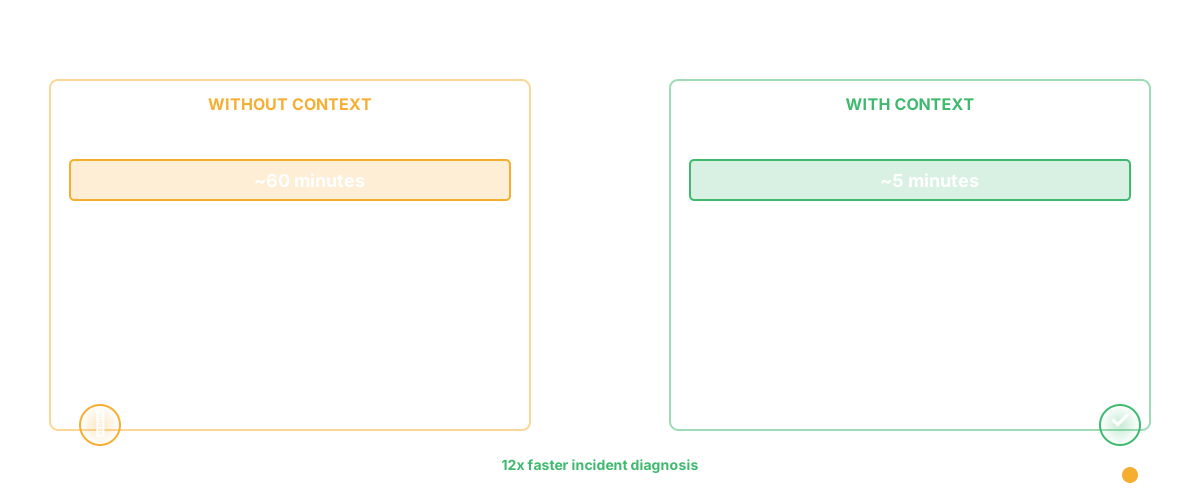
This takes an hour for a trivial incident.
Version 2 (Context included): Title: API Response Time Degradation Description: The /api/recommendations endpoint is responding slowly. Users are complaining.
Context (automatically surfaced):
- Codebase location: The endpoint is in
recommendation-service/src/api/endpoints.ts, specifically thegetRecommendationsfunction. It depends on the Elasticsearch cluster and callsUserPreferencesservice. - Recent changes: Three days ago, a commit updated the Elasticsearch query to fetch more fields (25 fields instead of 10). Code diff: [link].
- Ownership: Last 5 commits to this endpoint are from @Sarah. She merged this change on Tuesday.
- Dependency impact: This endpoint is called by the web app and mobile app. Both have caching, so frontend impact should be limited. The API gateway doesn't cache.
- Historical patterns: Similar slowness occurred 6 months ago (Issue #2847). Root cause was an unoptimized Elasticsearch query. It was fixed by adding an index.
- Complexity: The query function is straightforward (complexity: 4). The Elasticsearch logic is isolated in a helper function. Medium risk to change.
The on-call engineer sees this context and immediately knows:
- Look at the Elasticsearch query
- The commit three days ago probably caused it
- The fix last time was adding an index
- Probably needs to optimize this query or add another index
- Sarah can help if needed
Five minutes to diagnosis instead of an hour.
Why This Doesn't Exist Yet
Most teams don't have this because it requires three things:
1. Connection between work tracking and codebase. Jira doesn't know anything about your codebase. It's a completely separate system. Connecting them requires integration work or custom tooling.
2. Extracted codebase intelligence. You need to know, systematically: what's in each file? Who owns what? What changed recently? What depends on what? This requires scanning your codebase and maintaining metadata about it.
3. Infrastructure to surface context at ticket creation. When someone goes to create a ticket, the system needs to ask: "what part of the codebase is this about?" and then surface all the relevant context. This is a different workflow than most teams have.
It's not trivial to build. But it's also not magical - it's just connecting systems that already exist.

Getting Started
Start simple. When a ticket is created, ask: what file or module is this about? Once you know that, you can surface:
- Who last modified it
- When it was last modified
- How many people have touched it
- How many other tickets reference it
These are easy wins. They immediately improve context without requiring sophisticated codebase intelligence.
Then expand: what was the recent commit to this file? What's depending on it? Is there test coverage?
Build toward the full picture.
The Broader Pattern
This is one example of a larger insight: the best engineering teams operate with high-context decisions. Someone looks at a ticket, instantly understands the codebase situation, makes a decision, and moves forward. It doesn't require hunting through three systems or asking five people for information.
Context available at the moment of decision is leverage. It speeds up everything: triage, incident response, assignment, onboarding, even just "should we fix this now or later?"
Most teams have enough context about their codebase, but it's scattered and not surfaced where decisions are made. The teams that move fast have made context availability a deliberate priority.
Frequently Asked Questions
Q: If we surface too much context, won't the ticket become overwhelming?
A: Good question. Context should be progressive. Show the most critical information immediately: location, ownership, recent changes. Put deeper context (historical patterns, dependency graph) in an expandable section. Tools like codebase intelligence platforms surface this progressively. Let people get as deep as they want.
Q: How do we ensure context is accurate if the codebase changes constantly?
A: Context should be computed on-demand, not stored as static data. When a ticket is created, query the actual current state of the repository. Who modified this last? Right now. What's the latest change? Right now. This requires some infrastructure but it's worth it.
Q: Our team is small. Do we need this much context?
A: Depends. If everyone knows the codebase by memory, maybe not. But as the team grows, context becomes critical. A new engineer joining the team solves issues 10x faster if context is available. It's also useful for knowledge preservation when someone leaves — reducing bus factor risk and preventing knowledge silos.
Related Reading
- AI Ticket Triage: How Agents Classify, Route, and Prioritize
- AI Bug Triage: How Engineering Teams Cut Triage Time by 80%
- Product OS: Why Every Engineering Team Needs an Operating System
- AI for Product Managers: How Agentic AI Is Transforming Product Management
- Engineering Bottleneck Detection: Finding Constraints Before They Kill Velocity
- Software Productivity: What It Really Means and How to Measure It
- Jira Can't Verify Problem Resolution
- Glue for Spec Writing
- Glue vs Jira: Ticket Tracking vs Intelligence